
How it works
From a link to
a finished IM.
IM Studio does the gathering, writing and layout. You stay in charge of what goes in and how it looks.
01
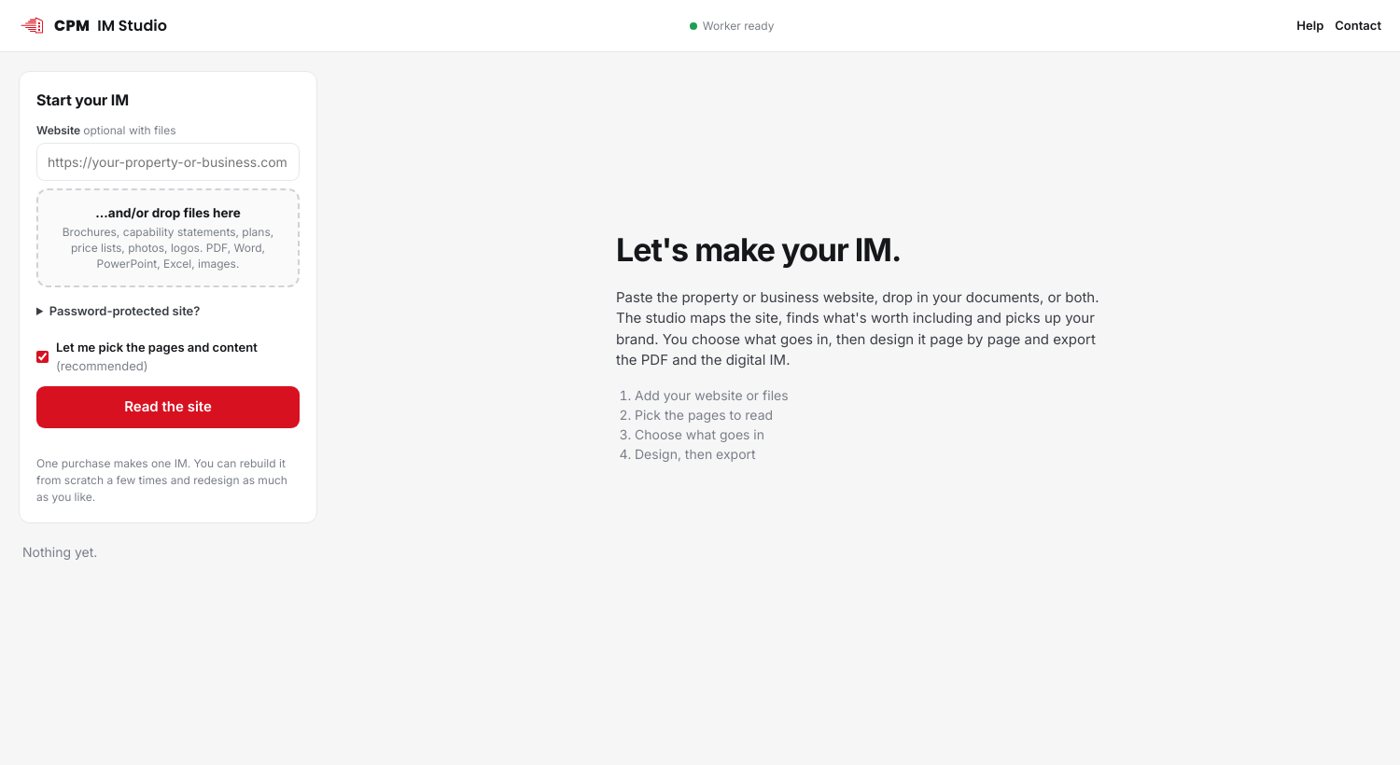
Add your source
Start from whatever you have.
- A website: the property, estate or business site. Password-protected preview sites work too.
- Documents: your current brochure or capability statement (PDF), Word and PowerPoint files, Excel or CSV price lists, plans, renders and photos.
- Both: the site for the story and brand, your uploads for the plans and prices.
02
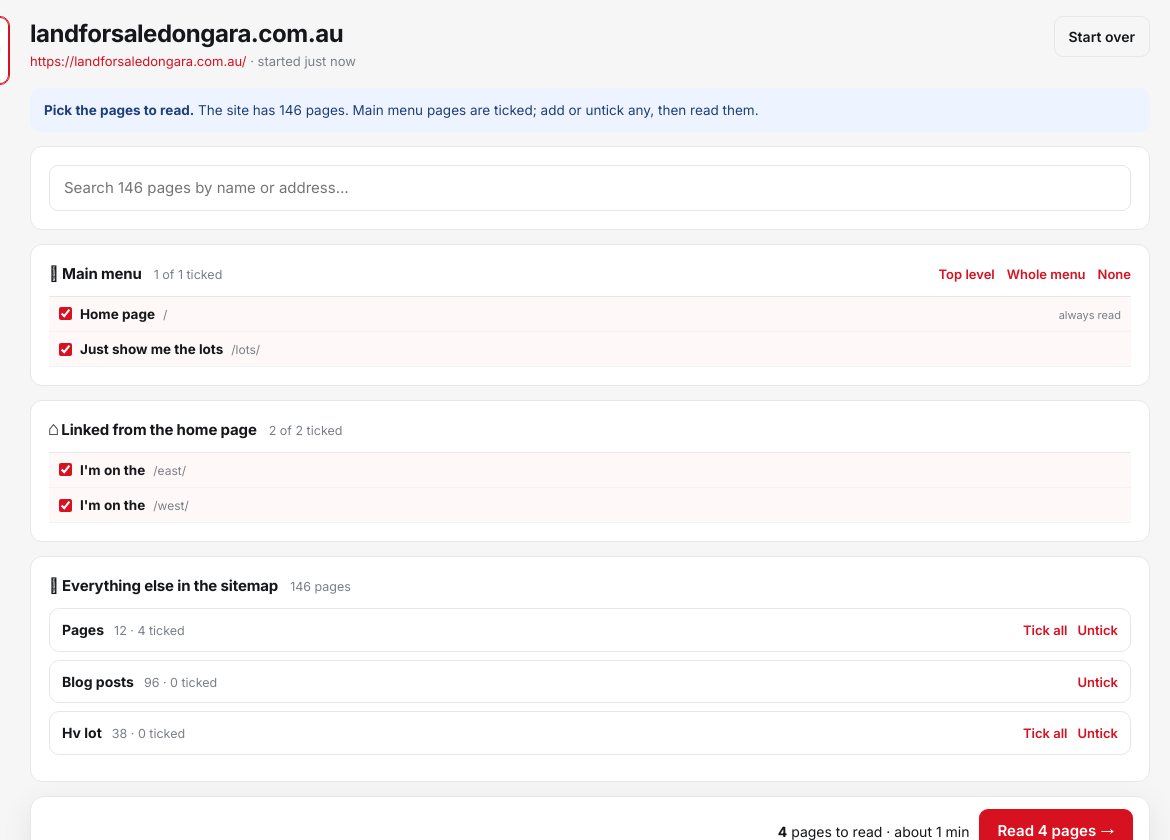
It maps the site, you pick the pages
Big sites are fine. It reads the menu and sitemap first (hundreds of pages in seconds), ticks the main ones, and only reads what you keep.
- Search every page on the site and add the ones that matter
- Your brand kit is detected on the way: logo, colours, fonts
03
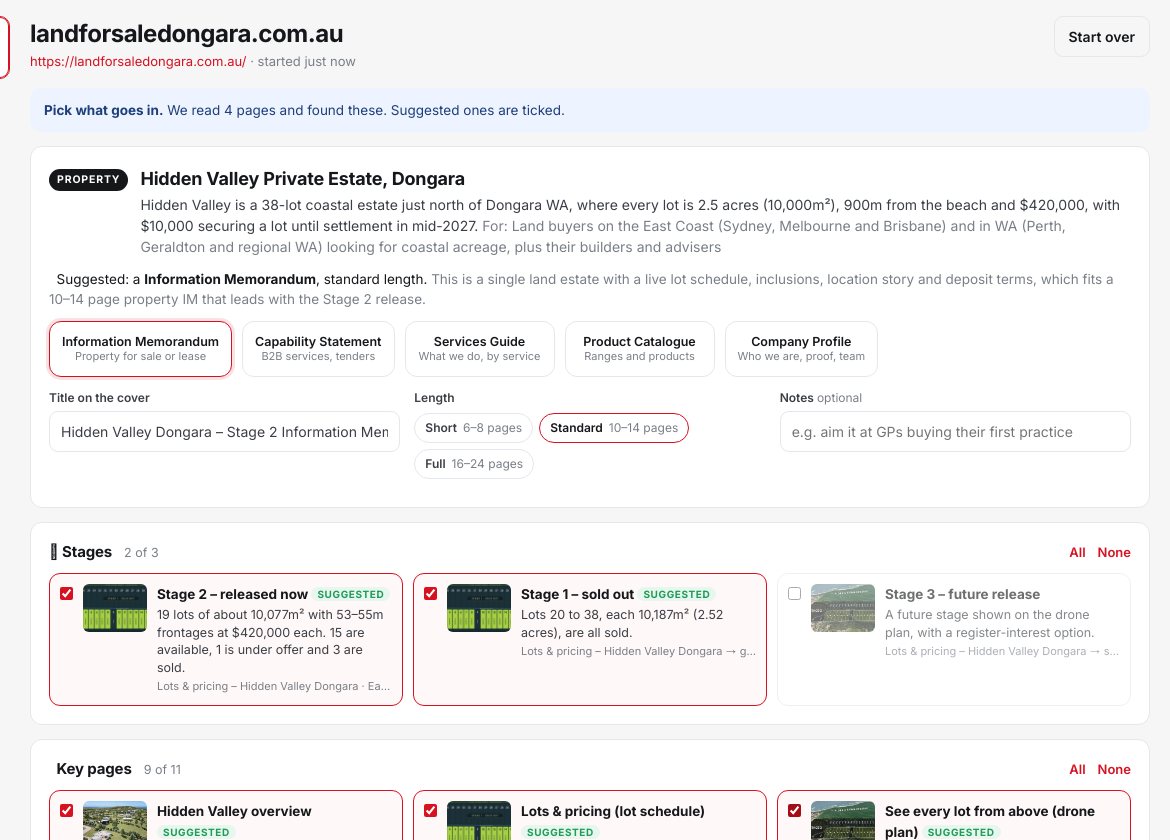
Choose what goes in
It lists every service, product, property, stage, key page and content block it found, with a photo and a one-line summary.
- Tick what belongs, untick what doesn't
- Pick the document: Information Memorandum, capability statement, services guide, product catalogue or company profile
- Pick the length and add notes like "aim it at owner-occupiers"
04
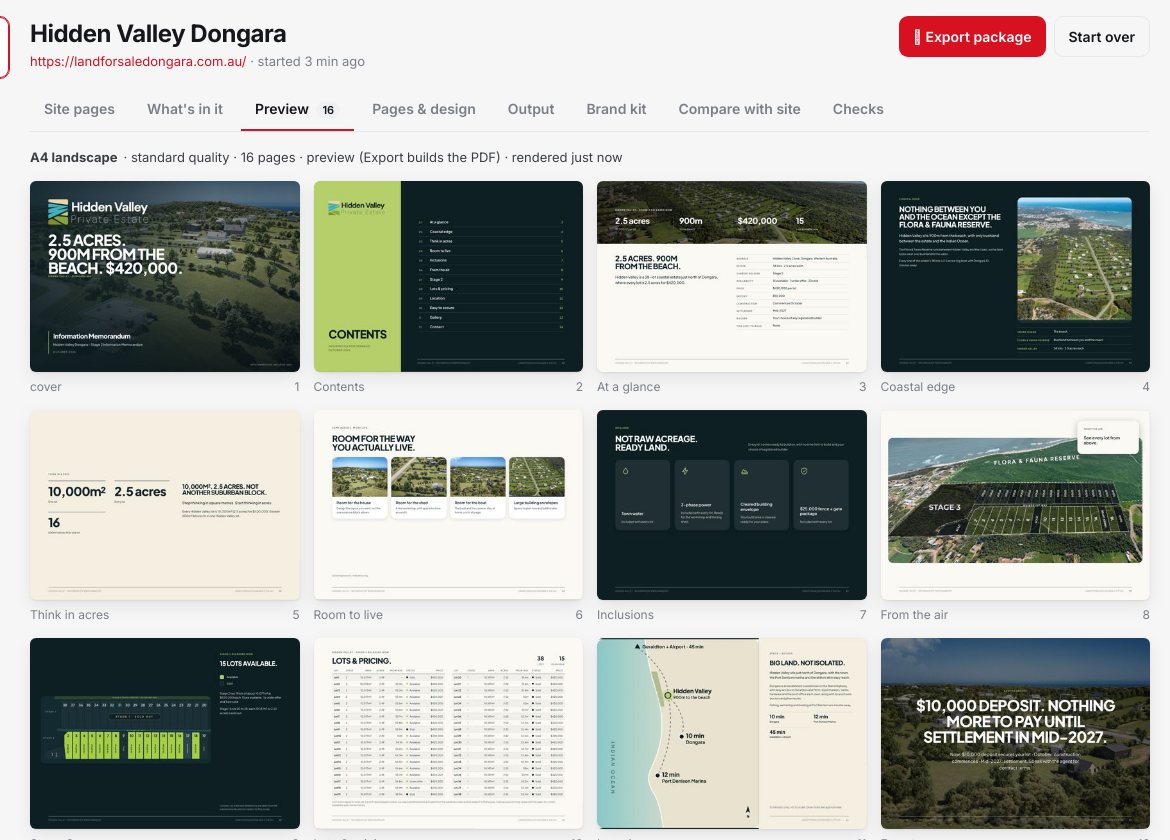
Design it page by page
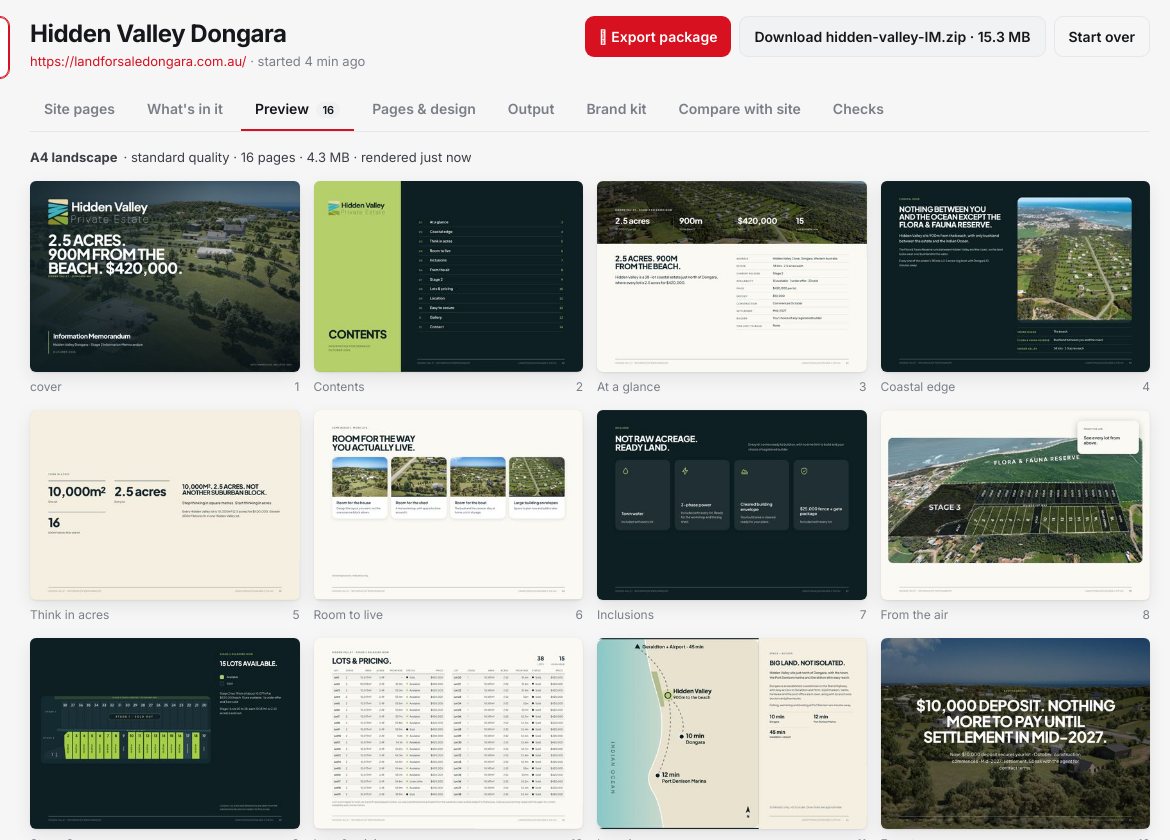
Every page has real layout options, rendered so you can see them before you choose.
- Three to seven layouts per page, each previewed with your content
- Backgrounds, photo swaps and crops, or upload your own renders and plans
- Redesign any page and pick from three fresh options, or art-direct the whole IM
- Edit every heading, figure, card, schedule and contact
- Fine-tune the brand kit: colours, fonts, logo versions, heading style, corners, spacing
- Add, remove, reorder and duplicate pages, plus statement and section-divider pages
05
Export the package
One download with everything.
- The PDF: A4, A3, Letter, 16:9 or square, portrait or landscape, single pages or spreads, standard or print quality with bleed and crop marks
- The digital IM: a slick online presentation in a ready-to-upload folder. Put it on your own site or any web host and send the link
- Change something later and export again
06
Present it online
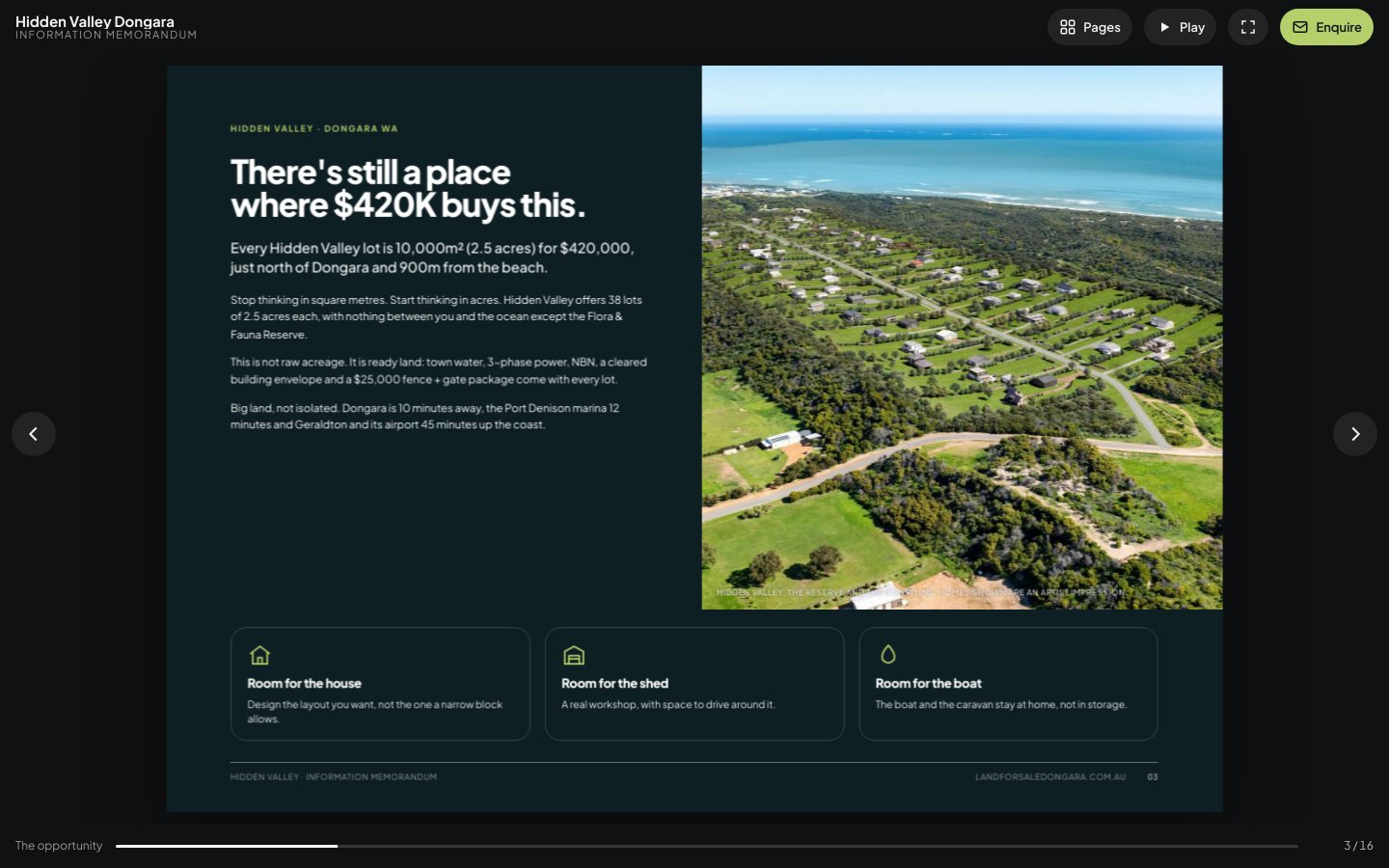
The digital IM is built for presenting, not just reading.
- Full screen with page transitions (slide, push, fade, zoom, 3D flip, cube, wipe, iris), set for the IM or page by page
- Text and photos animate in on each page, with a slow zoom on the photography
- Links added automatically: phones tap to call, emails open a message, the enquiry page, website, 3D tools and lot explorers become buttons, and the contents page jumps to each section
- Autoplay for screens and meetings, an overview of every page, swipe on phones, a link to any page
See it with a real IM.
Open an example and flick through layouts, backgrounds, paper sizes and digital transitions.